Software
What a NEMT Driver App Should Do in 2027: Broker Rules, GPS, Signatures, and Phones
A NEMT driver app should show each driver the day's trips, record en route, arrived, picked up, and dropped off with the time and GPS location, collect the rider's signature, log no-shows with proof, keep working with no signal, and protect rider information under HIPAA. Brokers set the details. MTM Health denies Virginia claims that lack any required trip log time or the member's signature.
- Every tap should save the time and GPS location on its own. New York wants system-made time stamps that cannot be changed, kept six years.
- Brokers check the GPS trail against the trip. In New York, GPS that does not match the pickup, drop-off, or miles blocks the claim.
- Riders sign on the screen with a finger or pen. Arizona rejects a typed name, and the driver never signs the rider's name.
- The app must keep recording with no signal and upload later. Keep paper trip logs as a backup, as MTM Health requires in Rhode Island.
- Drivers tap only while parked. Virginia's Medicaid rules and some broker manuals bar phone use while the van moves.
The driver app is where every trip record starts. Each tap a driver makes becomes a time, a place, or a signature that a broker checks before it pays. This guide covers what the app has to capture for NEMT rules, how to handle signatures, no-shows, and dead zones, how to protect rider information on a phone, and the phone rules drivers must follow while they use it.
What a NEMT driver app has to do
Brokers and states write the requirements, and they are similar across programs. MTM Health’s standard agreement, in the January 1, 2023 version Pennsylvania posts, sums up the core: each vehicle needs a device that sends its location, trip events, and member signatures in real time.
| Feature | What it records | A rule that requires it |
|---|---|---|
| Trip list | Each trip’s rider, addresses, times, level of assistance, escort, and special needs | MTM Health’s Virginia manifests carry all of these, plus the rider’s weight with mobility devices |
| Status taps | En route, arrived, picked up, dropped off, each with the time and location | New York’s broker wants every event recorded in real time, by hand or by geofence |
| GPS trail | The route of the whole ride, not just two points | New York has required every GPS point along each trip since April 3, 2023 |
| Signatures | The rider’s signature on each trip, drawn on the screen | MTM Health’s Virginia claims are denied without the member’s signature |
| No-shows and cancellations | Arrival time, wait, contact attempts, and location | MTM’s Rhode Island handbook says no-shows and cancellations can only be entered in its driver app |
| Odometer readings | Miles at pickup and drop-off, where the program asks | Arizona’s Daily Trip Report lists the odometer at each pickup and drop-off |
| Offline mode | Everything above, saved on the phone until the signal returns | New York accepts GPS data after the trip when a problem outside your control got in the way |
| Dispatch contact | Calls or messages with dispatch and the broker | MTM Health’s Virginia handbook requires a working phone or communication device during service hours |
| Security | A separate login for each driver, and protected rider data | HIPAA requires unique user identification (45 CFR 164.312) |
You can meet many of these with a broker’s own app. MTM Health offers a free driver app that meets its Virginia tracking rule, and says it also connects with over 20 outside applications. With outside software, MTM reviews it first, the data must reach MTM by API, and you alone are responsible for MTM receiving every GPS record. What NEMT software is explains how the app fits with scheduling and billing, and NEMT software cost covers what each option costs.
Trip status times: what each tap must record
A trip record is only as good as its times. MTM Health’s Virginia handbook (approved August 10, 2026) requires an electronic trip log with the trip ID, the scheduled and actual pickup times, the departure time, the arrival time, and the member’s signature, and the trip must be marked completed. If any of them is missing, the claim is denied.
Brokers name the steps a little differently, but they follow the same order:
- En route. The driver leaves for the pickup. MediTrans asks drivers to mark this in its portal, as of September 2026.
- Arrived. The van reaches the pickup address. This time starts any no-show wait.
- Picked up. The rider is on board and the van leaves.
- Dropped off. The rider is at the destination and the trip is complete.
Together these taps give the times brokers ask for, such as MTM’s actual pickup, departure, and arrival times. SafeRide Health’s driver app uses the same four steps: begin ride, arrived, started, and completed. Each tap should save the time and the GPS location on its own, so the driver never types a time.
Time stamps nobody can edit
New York lets a driver’s tap stand in for a signed paper log, under conditions. The driver needs a unique electronic signature, and the app must record the pickup and drop-off coordinates when the driver confirms the trip. You must be able to produce an accurate, system-generated time stamp for each pickup and drop-off that cannot be changed, for six years from the date of service (transportation policy manual, effective August 25, 2023). Any fix after the fact should keep the original time and show who changed it, when, and why.
Formats matter too. Modivcare’s Mississippi manual (February 2024) wants every time in 24-hour military time. Arizona wants clock times with a.m. or p.m. The app should print or export each time the way your payer asks.
Brokers test your times against your miles
Brokers use app data to spot bad claims. MTM’s Virginia scorecard checks each trip’s logged minutes against its miles as a fraud test, and flags overlapping claims, meaning one driver in two vehicles or two drivers in one vehicle at the same time. The standard for each is under 0.99 percent of trips. A driver who taps picked up and dropped off together at the end of a ride, or leaves one trip open while starting the next, can set off these checks. For every field a record needs, see NEMT trip documentation.
GPS proof: the whole trail, not two dots
Since April 3, 2023, New York has required transportation providers to send the starting point, the end point, and every GPS point along each trip to the broker. GPS data that does not match the pickup, drop-off, or miles on the trip invoice keeps the trip from getting the prior authorization it needs to be paid. The broker’s network manual (October 1, 2023) adds that routing data that does not show the driver’s actual location and time will be treated as possible fraud and reported to the state.
MTM Health’s Virginia handbook requires vehicle location tracking to stay on for the full ride, from arrival through drop-off. Its scorecard expects more than 90.01 percent of trips to be tracked. In Rhode Island, MTM rates GPS compliance below 75 percent as red.
What this means for the app:
- Track the whole trip, from en route through drop-off, not only the taps.
- Match the trip to the address. If a rider asks for a different pickup at the last minute, New York’s broker says to send the rider to the broker to make the change. MTM’s Rhode Island handbook allows a different address only after MTM approves it and updates the manifest.
- Stop tracking when the shift ends. Drivers’ off-duty movements are not trip data.
NEMT GPS tracking covers what GPS records prove in audits and the privacy limits that protect drivers.
Signatures that hold up
Signature rules differ from program to program. The app has to meet the strictest rule among your payers.
| Program | What the rule says |
|---|---|
| MTM Health, Virginia | The member’s signature is part of every clean claim |
| Arizona fee-for-service | On a tablet, the member signs with an electronic pen or a fingertip, or gives a fingerprint. A typed name does not count. The driver’s signature cannot be initials, a symbol, or a stamp. |
| MediTrans, Louisiana | Signatures may be electronic or paper, and the member signs at pickup and at drop-off, as of September 2026 |
| Modivcare, Mississippi | Every member signs the trip log. The driver’s signature may be written or digital. |
| New York | For electronic records, the driver signs with a unique electronic signature and confirms each trip with a transmission that records the pickup and drop-off coordinates |
When the rider cannot sign
The app needs a way to record who signed and why, because the rule for a rider who cannot sign also varies:
- Arizona. A parent, guardian, caretaker, escort, or family member may sign and note the relationship, such as “by J Smith, daughter.” A rider traveling alone can have the medical provider sign at the appointment. The driver may never sign for the rider, even a driver who is also the rider’s caregiver.
- Modivcare, Mississippi. The driver asks a facility representative at the pickup or drop-off to sign their own name. If no one can, the driver writes “unable to sign” with initials and gives the reason in the comments, and the provider tells Modivcare which members cannot sign. No one other than the member may sign the member’s name.
Keep one signature per trip record. MTM’s Rhode Island handbook tells providers to upload a single member signature for each trip, never several in one file. NEMT signature requirements goes program by program.
No-shows and cancellations
A no-show is only billable, or defensible, if the app proves the driver was there and waited. Wait rules differ:
- MTM Health, Rhode Island: the driver need not wait more than 10 minutes after the scheduled pickup time and should call or text the member before leaving.
- MediTrans, Louisiana: wait 15 minutes at a home and 20 minutes at a facility, try the member’s phone number, call dispatch, then mark the member a no-show in the portal with a time stamp.
- MTM Health, Virginia: a pickup is on time within 15 minutes before or after the scheduled time. A member who is not ready in that window is documented as a no-show under MTM’s procedures, after reasonable attempts to reach the member by phone or text.
Build the no-show flow around proof. The arrival tap starts a timer, and the app will not mark a no-show before the wait is up. It logs each call or text attempt and saves the location. See the no-show glossary entry and billing for no-shows.
Working with no signal
Rural roads, parking garages, and hospital basements drop the signal. The app has to keep working anyway.
New York’s broker says technology has solved almost all connectivity problems. It will consider a claim of lost signal, a dead battery, or a missed arrival tap, but expects such claims to be rare, and it lets GPS data be sent during or after the trip when the problem was outside your control. So the app should save every tap and GPS point on the phone with its original time, then upload the batch once the signal returns.
Keep a paper backup too. MTM Health’s Rhode Island handbook has every driver keep paper copies of approved trip logs, even when using its app or approved software. Arizona accepts its Daily Trip Report on paper in blue or black ink. Georgia’s NEMT manual (July 1, 2026) requires two-way communication with every vehicle. A vehicle whose system does not work must be taken out of service, so a dead phone can park a van. Carry a charger and a spare battery pack.
Minnesota will tighten this. Starting January 1, 2027, or on federal approval if later, Minnesota NEMT providers must follow the state’s electronic visit verification law. Under the 2026 changes, EVV data must be recorded at the time of service, and a visit entered later by the office, or edited after the fact, does not count until it is confirmed through the state’s process. See EVV for NEMT.
Test the app yourself: put a phone in airplane mode, run a practice trip from en route to drop-off, then turn the signal back on and check that the record arrives complete with the right times.
HIPAA on drivers’ phones
A driver’s phone holds rider names, home addresses, appointments, and mobility needs. When your company is a HIPAA covered entity, or works as a broker’s business associate, the Security Rule applies to that phone. HealthIT.gov (last updated April 1, 2026) says your risk analysis must include every device that stores or can reach rider information, and it names mobile phones and tablets.
| Safeguard | What HIPAA says | What to set up |
|---|---|---|
| Unique login | Required (45 CFR 164.312) | One login per driver, never a shared one |
| Activity records | Required | The app records who viewed or changed each trip |
| Automatic logoff | Addressable | The app locks after a few idle minutes, and the phone has a screen lock |
| Encryption | Addressable | Data encrypted on the phone and in transit |
| Minimum necessary | Limit access to what each role needs (45 CFR 164.502(b) and 164.514(d)) | Drivers see today’s trips and the details they need, not rider histories |
| Disposal and reuse | Required (45 CFR 164.310(d)) | Wipe a phone before it goes to another driver or is thrown away |
“Addressable” does not mean optional. You use the safeguard where it is reasonable, or write down why not and use an equal alternative. Brokers add their own layers. MTM Health’s Rhode Island portal asks for a one-time code at sign-in. Arizona allows its Daily Trip Report on a tablet only when HIPAA and the AHCCCS Security Rule Compliance Summary Checklist are followed. Arizona also tells drivers to record only as much of the member’s diagnosis as the member is willing to share.
When a phone goes missing
A lost or stolen phone with rider information on it can be a breach. HHS guidance published at 74 FR 42740 (August 24, 2009) says data encrypted to the NIST standard for devices, with the key kept separate from the data, is not “unsecured,” so losing it is not a reportable breach under the notification rule (45 CFR 164.402). If the data was not protected that way, you must notify each affected rider without unreasonable delay and within 60 calendar days of discovery (45 CFR 164.404). Breaches affecting fewer than 500 people go in a log and are reported to HHS within 60 days after the end of the calendar year (45 CFR 164.408). If you work as a broker’s business associate, you report the breach to the broker instead, within the same 60 days at most (45 CFR 164.410).
Choose an app that lets you log a driver out and clear its data from the office, and practice doing it. Your broker’s agreement may require a faster report. MTM’s standard agreement requires providers to report breaches of member information to MTM. See HIPAA for NEMT providers, and HIPAA texting for NEMT for what drivers may text riders.
The phone rules that go with the app
The app has to fit the phone rules drivers work under, and a broker contract can be stricter than state traffic law:
| Rule | What it says |
|---|---|
| MTM Health, Virginia handbook | No mobile phone use or texting while moving. Its tracking section adds that drivers should never use a mobile device while operating a vehicle, except a Bluetooth headset. |
| Virginia DMAS driver rules (May 26, 2026) | Drivers shall not use mobile phones, including texting, or headphones while the vehicle is in motion |
| MTM Health, Rhode Island | No texting or using a computer or tablet while driving. No headphones on duty except a hands-free headset for the company’s communication device. |
| MTM standard agreement (January 1, 2023) | No cell phone or texting device while driving, and no headphones or earpieces unless part of the two-way communication system |
| WellTrans, Indiana (February 17, 2023) | Phones only for WellTrans work or a 911 call, and no talking or texting while the vehicle is moving |
| Modivcare, Mississippi | Phones only for Modivcare work, and hands-free headsets are the only headphones allowed |
| MediTrans, Louisiana | Hands-free phone use only while driving, as of September 2026 |
| Georgia DCH NEMT manual (July 1, 2026) | No headphones of any kind while on duty, and phone use while driving only as the Hands-Free Georgia Act allows |
| Georgia law (O.C.G.A. 40-6-241) | No holding or supporting a phone and no reading or sending texts while driving. GPS navigation and voice-to-text are allowed. Fines are $50 for a first conviction, $100 for a second, and $150 for a third or later within 24 months. |
| Federal rules for commercial motor vehicles (49 CFR 392.80 and 392.82) | No texting and no hand-held calls, and no company may allow or require either |
The federal rules cover drivers of commercial motor vehicles on interstate trips: a vehicle rated 10,001 pounds or more, or one designed or used to carry more than 8 people, including the driver, for pay. There, “texting” includes pressing more than one button to start or end a call, and holding a phone includes reaching for it in a way that takes the driver out of a normal seated, belted position (49 CFR 390.5). Reading a GPS or navigation screen is not texting. As of September 2026, the federal penalty schedule allows fines of up to $4,812 per violation for a driver and $19,246 for a company.
Design the workflow so the app never needs the driver’s hands while the van moves:
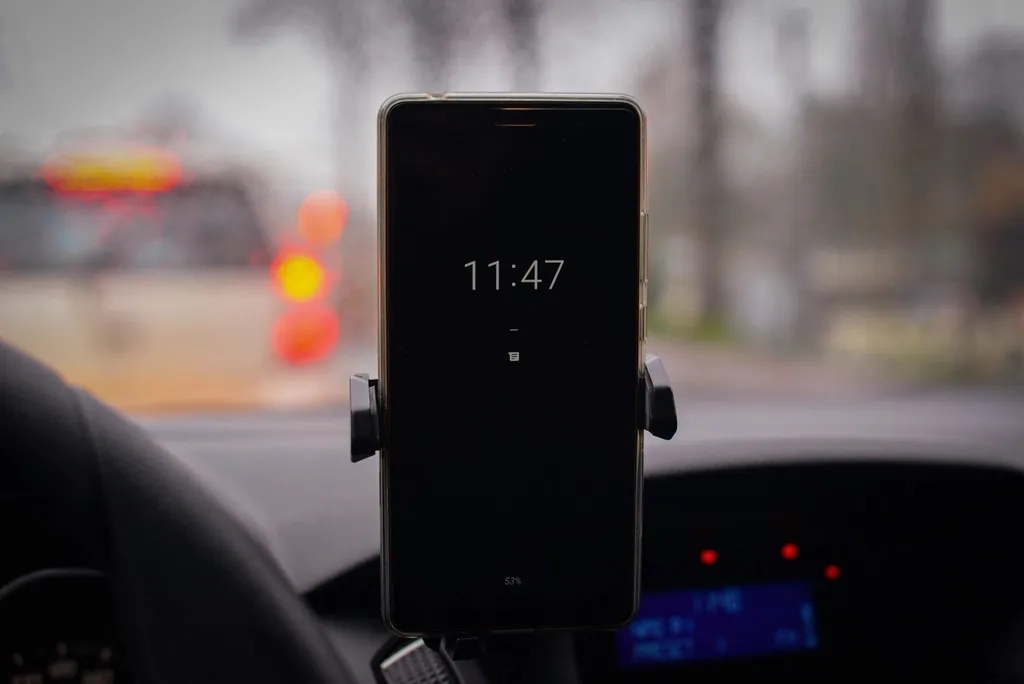
- Mount the phone where the driver can see it without holding it.
- Load the route before moving. Every tap happens while parked at the stop.
- Let the app do the counting. Automatic arrival marking by geofence and automatic GPS tracking cut the taps a driver must make.
- Follow the strictest rule you work under. Virginia’s DMAS rules and WellTrans’s Indiana manual bar phone calls while the vehicle moves. Georgia’s law allows an earpiece, but Georgia’s NEMT manual bars headphones on duty.
- Pull over for anything else, such as a call from dispatch or a rider text.
A written policy that drivers sign turns these into rules. NEMT driver phone policy has a policy you can adapt.
Company phones or drivers’ own phones
Both work. The difference is cost, control, and what you owe the driver.
| Company phones | Drivers’ own phones | |
|---|---|---|
| Up-front cost | You buy each phone, mount, and data plan | Lower, but you may owe reimbursement |
| Control | You set the lock, updates, and remote wipe | You need the driver’s agreement to add protections |
| HIPAA | Easier to track and wipe each device | Rider data sits next to personal apps |
| When a driver leaves | Collect the phone and reassign it after a wipe | Log the driver out and remove the app’s data |
If drivers use their own phones for work, check what you owe them:
- Federal wage rules. If you require workers to supply tools of the trade, the cost cannot cut into the minimum wage or overtime they are owed in any workweek (29 CFR 531.35).
- California. Labor Code section 2802 requires employers to reimburse employees for all necessary expenses they incur doing their jobs.
- Illinois. 820 ILCS 115/9.5 requires reimbursement of necessary expenses the employer authorized or required. Employees submit them within 30 days, unless your written policy allows more time.
Tell drivers in writing what the app records. New York requires employers that monitor employees’ phone, email, or internet use to give written notice at hire, get an acknowledgment, and post the notice. Fines run up to $500 for a first offense (Civil Rights Law 52-c*2). Independent contractors are a different case; see NEMT drivers: 1099 or W-2.
How to test a driver app before you commit
Run each test on a real phone with a practice trip:
- Log in as a driver with that driver’s own login. Confirm no one else can see their trips.
- Run a full trip: en route, arrived, picked up, dropped off. Check that each tap saved the time and location.
- Capture a signature with a fingertip, and try a rider who cannot sign. Confirm the app records who signed and why.
- Record a no-show. The timer should block the no-show until the wait is up, and the record should show the arrival time and call attempts.
- Go offline. Use airplane mode for a whole trip, then reconnect and check the record.
- Open the finished record the way your broker or an auditor will see it.
- Lose the phone. Log the driver out from the office and confirm the trips disappear from the device.
- Watch the battery over a full shift with GPS on.
- Export the records. You keep trip records for years: 10 under MTM’s standard agreement.
The buyer’s checklist for NEMT software adds the questions for the office side of the system.
Frequently asked questions
Do I have to use my broker's driver app?
Not always. MTM Health offers a free driver app that meets its Virginia tracking rule, or you may use outside software that sends the data to MTM by API, after MTM reviews it. MTM can refuse a connection. Some tasks still go through the broker's app: MTM's Rhode Island handbook says cancellations and no-shows can only be entered in its own driver app. WellTrans's Indiana manual says its driver app is optional.
Can drivers use their own phones for the app?
Yes, if the phone is protected like any device that holds rider information: its own login, a screen lock, encryption, and a way to log the driver out remotely. You may owe drivers part of the cost. California and Illinois require employers to reimburse necessary work expenses, and federal wage rules bar tool costs that cut into minimum wage or overtime.
What happens if the driver loses signal during a trip?
A good app keeps recording times and GPS points and uploads them once the signal returns. New York's broker says GPS data can be sent during or after the trip when a problem outside your control got in the way, but expects this to be rare. MTM Health's Rhode Island handbook also has drivers keep paper copies of approved trip logs as a backup.
Does a typed name count as the rider's signature?
Not in Arizona, and it is a poor idea anywhere. Arizona's billing manual (revised July 31, 2026) says a tablet must let the rider sign with an electronic pen or a fingertip, or give a fingerprint, and a typed name cannot replace a signature. The driver's signature cannot be initials or a stamp, and the driver may never sign for the rider.
What if the rider cannot sign?
Follow your program's rule, and let the app record who signed and why. Arizona lets a parent, guardian, caretaker, escort, or family member sign and note the relationship. Modivcare's Mississippi manual asks for a facility representative next, and if no one can sign, the driver writes that the member was unable to sign, with initials and the reason. No one may sign the rider's name for them.
Can drivers use the app while driving?
No. MTM Health's Virginia handbook says drivers should never use a mobile device while driving, except a Bluetooth headset, and Virginia's own Medicaid rules bar phone use while the vehicle is moving. Build every tap for the moment the van is parked at a stop. In a commercial motor vehicle on interstate trips, federal rules also ban texting and holding a phone.
Does a NEMT driver app have to be HIPAA compliant?
The app and the phone it runs on hold rider names, addresses, and health needs, so HIPAA safeguards apply when your company is covered or works as a broker's business associate. That means a separate login for each driver, activity records, and a business associate agreement with the vendor. A lost phone whose data was not encrypted to federal standards can be a reportable breach.
Official resources
- HHS OCR: HIPAA for professionals
- HHS and ASTP: Security Risk Assessment Tool for small providers
- eCFR: 45 CFR 164.312, HIPAA technical safeguards
- MTM Health: Virginia Transportation Provider Handbook
- AHCCCS: Chapter 14 Transportation, Daily Trip Report rules
- FMCSA rules on texting and hand-held phones: 49 CFR 392.80 and 392.82
- Georgia Governor's Office of Highway Safety: Hands-Free Georgia law